

Excel to PDF Converter Pro is a robust and yet flexible tool to convert Excel spreadsheets into perfect PDF files, faithfully reproducing all the complexities of any MS Excel’s layout. The high-quality output is fully customizable, and you can convert as many files as needed in just one go by making use of its batch capabilities. This Pro version can also be used from the command line.
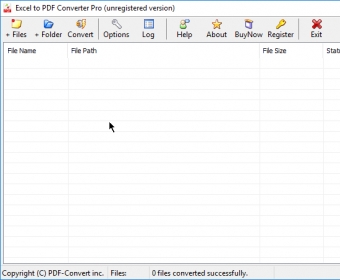
Excel to PDF Converter Pro certainly represents a step ahead from the already well-known and widely-used non-Pro version. The high level of quality of the output is probably the only thing that has been kept unchanged – everything else is new in this Pro version. It has an interface of its own, as opposed to the plug-in philosophy used in the original product. This allows you to make use of its batch capability to convert a large number of MS Excel files into PDF in just one single operation. Besides, by incorporating a flexible command-line functionality, you can launch the conversion process either from a DOS window or from any of your scripts, without any user interaction.
But working with a proper interface gives you also the possibility of making use of a larger list of settings, not all of them available in the standard version, and certainly not available when using the command-line functionality (the options are very limited there). The different settings dialogs available allow you to fully customize the layout of the PDF output – resolution, rotation, compression, colors (RGB, CMYK, or greyscale), CMYK to RGB image conversion, font embedding, and security. You can enable/disable any security option that you usually find in Acrobat when creating a new document, including encryption level and password management.
After the seamless and fast conversion process, you get the high-quality results, which makes this new Pro level a real improvement of an already reliable product.






Comments